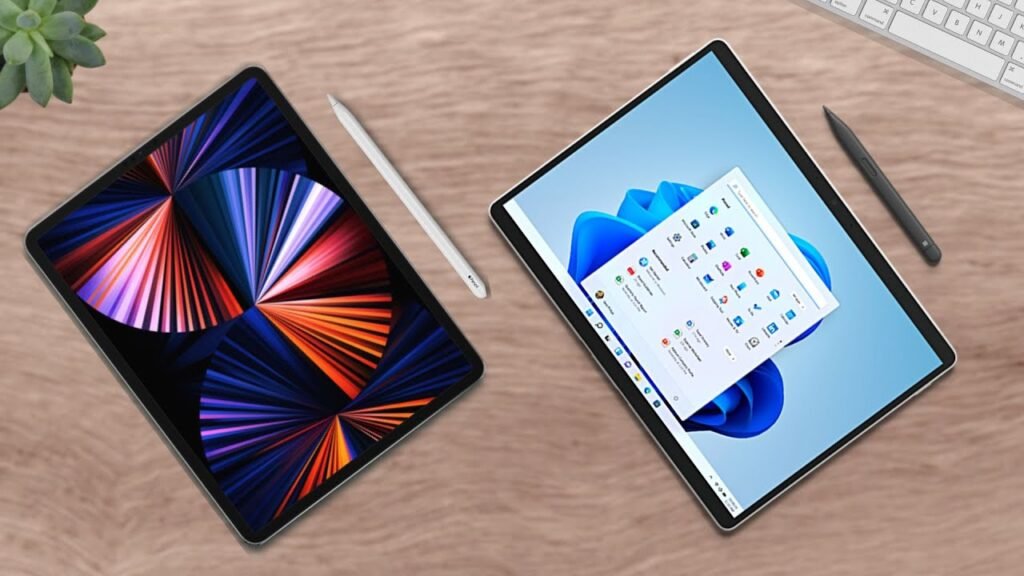
All right, laptop tablet versus tablet laptop: the new Samsung Galaxy Tab S9 Ultra vs Microsoft Surface Pro 9. Two very unique devices. So let’s go over the raw stats first.
Externals and Design
The Galaxy Tab S9 Ultra is Samsung’s flagship large tablet that was just announced with a starting price of twelve hundred dollars, while the Surface Pro 9 is Microsoft’s lead tablet laptop that retails for one thousand dollars for the regular model and 1300 for the 5G version. As per usual with these devices, both of which have accessories that are often purchased together, with the Tab S9 Ultra coming with its S Pen in the box, so that’s very much appreciated.
Form Factors
The Tab S9 Ultra is massive, sporting a 14.6 inch screen featuring Dynamic AMOLED 2x, a very high refresh rate, and IP68 water and dust resistance, which is what I hope future tablets will sport as well because the surface does not have that. But even still, the Surface Pro 9 is no slouch, being 13 inches and having a 120 hertz refresh rate which looks great in person, but in this comparison is a little outclassed to Samsung’s own offering and especially that IP68 rating that protects the device.
Connectivity
Connectivity wise, the Microsoft laptop has a little more. The Surface Pro 9 rocks two USBCs and the surface connect Port, which for laptop is still a little sparse for some of us, but the Samsung tablet only sports one USBC Port, which I know I’ve been told this is nitpicking because most tablets don’t have multiple USBC ports, but it’d be nice to add more functionality to the massive Tab S9 Ultra with maybe an extra USBC. However, it does have a micro SD card slot, something the Surface Pro 9 does not have, so we got some interesting competition but the surface has more ports overall.
Cameras
Both devices are pretty solid for a tablet. The Galaxy Tab S9 Ultra brings a lot of heat with dual sensors at both the front and the rear, hence the notch on the screen for the wide and Ultra wide sensors that are also found on the back, while the Surface Pro 9 only has single sensors on the front and back but they’re still pretty good for a laptop and the 5G version has autofocus with Microsoft’s own processor, so it’s not half bad but yeah the Tab S9 Ultra takes the cake for this section.
So for the external summary: the Galaxy Tab S9 Ultra has that included S Pen, IP68 rating, larger size, and micro SD card slot, while the Surface Pro 9 can be a bit cheaper and has more ports overall.
Internals and Performance
The Galaxy Tab S9 Ultra sports the new Qualcomm Snapdragon 8 Gen 2, which is pretty impressive and comparable to the Surface Pro’s own chips, with it sporting the 12th gen Intel processors and also Microsoft’s armbase sq3 processor. As you can tell these two are pretty neck and neck but the surface is a bit faster but even still very impressive performance for both devices.
Storage and Battery
For storage, the Galaxy Tab S9 Ultra starts with 256 gigabytes, which is double the Surface Pro 9, which okay wow nice job Samsung, but even still I would prefer more given the price, but of course it is still expandable while the Surface Pro 9 should definitely start with more storage for students and professionals alike, especially for a computer, but its SSD is upgradable so that makes it more acceptable.
The Galaxy Tab S9 Ultra doesn’t have any concrete information on it yet but basing off the previous generation’s performance and initial tests, it looks like it should be good for at least 8 to 10 hours on a typical day, which is great. The Surface Pro 9 does have a bit of variability with its battery life so it’s kinda tough to judge here but it seems somewhere between seven to eight hours is pretty typical for most individuals which should support you for a full work day.
Security and Operating Systems
Both devices have their own protective software with the Galaxy Tab S9 Ultra using an under the display fingerprint sensor while the surface uses Windows Hello.
The Galaxy Tab S9 Ultra runs Android on Samsung’s One UI skin while the Surface Pro 9 uses Windows 11. The Tab S9 Ultra can kinda act like a laptop with Samsung Dex while the Surface Pro 9 kind of Acts like a tablet with its touchscreen functionality and form factor, hence laptop tablet versus tablet laptop. However, putting it simply, we still have a tablet versus a laptop, so that will dictate the rest of the comparison and my verdict. In summary: the Galaxy Tab S9 Ultra has more storage and allegedly better battery while the Surface Pro 9 has faster internal specs.
Final Verdict
We have two devices that are fighting for your over one thousand dollars. So which is the best device for you? That depends on firstly and always firstly, your needs.
The Galaxy Tab S9 Ultra is a great massive tablet that can definitely be used as some sort of art canvas, portable photo editor, or presentation type device, but I would be remiss to say that it is a good primary device. Rather, I would say that it is a good companion to your workstation laptop because there are certain things that a tablet will do well like presentations and sketches and there are things that a laptop can do better like multitasking.
On the flip side, the Surface Pro 9 can be your main. It can act as a typical laptop with its full Windows 11 functionality and be taken with you on trips alone, no other computers needed unless you need something more powerful.
Samsung Dex for the Tab S9 Ultra does muddy the water a little bit by allowing the tablet to slightly convert into a computer, but I wouldn’t consider that as something to use consistently as it is more so a scaled up version of Android still with some better multitasking and compatibility.
If you already have a computer, are okay with or typically use Android, and heavy use for a large tablet like this, get the Samsung Galaxy Tab S9 Ultra. If you do not already have a computer and prefer the Windows PC operating system, I’d recommend the Microsoft Surface Pro 9. Ultimately though, this is completely your decision and it would be to your benefit to check both devices out in person at your local Best Buy. Always focus on your needs first.