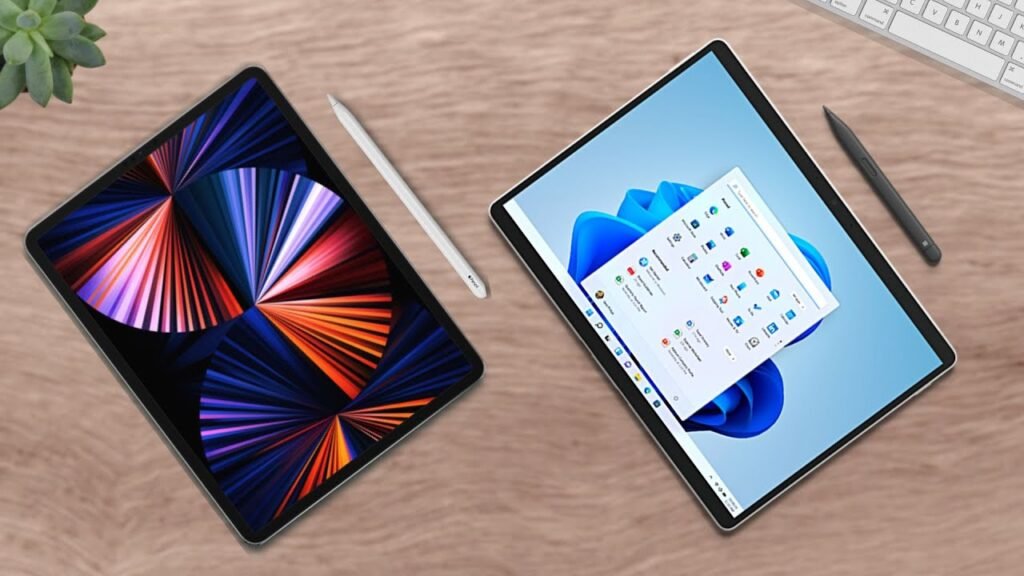
So, it’s back-to-school season, and it’s finally time to start making some purchases. Is it better to buy an iPad or a Mac? Well, if you want the short answer, it’s both. I’ve been rocking a 2019 iPad Air and 13-inch MacBook Pro ever since I started college, and I can’t think of a better setup.
Why the Combo Works
Let’s talk about the pros of going with this: You get Apple AirDrop, iCloud integration, seamless note-taking between devices, SideCar, etc., and that’s just scratching the surface. And, in college, for me, each device has its own purpose. For example, I often leave my dorm with the iPad and Apple Pencil in-hand and nothing else.
Because, for the standard lecture, where a professor just teaches you stuff, I only need a device to take notes on, hence why I only bring the iPad. But, at night, when I need to type something or work on a project, that’s when I bring out the “big boy” Mac. So, as you can see, they both serve their own purposes in my daily life. When purchased together, they compliment each other so greatly. It’s the perfect combo.
So, seriously, if you have the cash for a great long-term setup, I recommend getting an iPad with your Mac. But, notice how I said “get an iPad with your Mac”. Yeah, let’s go over the pros of each device first.
Individual Device Strengths
If you get an iPad for note-taking at school, know that it is perfect. The Apple Pencil integration is unbeatable to this day. And it’s got a great battery life, especially the newer ones.
On the flip side of things, if you get a Mac, you get an effective productivity computer, one that has the performance, especially the M1 versions, to cruise through a ton of your work. On top of that, it’s a laptop, so it can run anything a typical computer can. So, each device absolutely has its own pros to it, hence why I love each individually.
Understanding the Limitations
However, let’s talk about the negatives for a second. The iPad is not a computer; it cannot run every program you want. For instance, it’s very sad, but many university-specific programs are not optimized to run on tablets, something like Kultura Media Gallery, which is a program that my university uses to record its lectures, and it does not like tablets very much.
Additionally, it can’t multitask well. Yeah, there is a multitasking feature, but don’t expect to be doing too many things all at once. On the other hand, for the Mac, it cannot be used for handwritten notes. This one should be obvious, but makes don’t have touchscreens… yet. So, note-taking will be less-than-ideal with typing.
Additionally, it’s not as easy to transport because it’s not a computer. There might be a small difference in weight between the two, but you can definitely feel the difference. Look, see this? This looks kind of heavy in the hand. But, this? Bro, I can do this all day. Look. Whoop, whoop, whoop. Oh, lord.
So clearly with these specific pros and cons, these devices work well together and balance each other’s strengths and weaknesses, hence why I say “the perfect combo”.
Choosing Based on Your Student Needs
But, let’s switch things around for a second and let’s talk about you for a second here. Specifically, your needs. For every person I recommend a device to, I focus on the needs first. A typical student, bear minimum, needs a device that can be used to take notes on, run the programs necessary, and last an entire workday. Remember, I said “bear minimum”. So, let’s see which one does that the best.
So, the iPad can absolutely be used to take notes on. The tablet plus its Apple Pencil are unbeatable. Those two plus Notability or GoodNotes are killer. If you want a good note-taking tablet, the iPad is the best option. However, the iPad cannot run every program necessary, which is the big one. Remember, this is about what you need. You need a device that can do everything your school requires. So, that’s definitely a notch taken out. But, lastly, it can survive a day’s worth of work.
Now going on to the Mac, it can be used to take notes on. Typed out notes are not as good for retention for many people as compared to handwritten, but you can still do it that way. I certainly have. And the device can run nearly every program you might need unless you’re an engineering student. Then, I recommend a Windows PC. And, lastly, it can survive a full workday.
Final Recommendation
So the overall best device for a student in this market is a Mac. Frankly, a computer should be your first choice anyway. For college, you’ll need a PC. There’s no way to get around it. It can run everything you need plus more. So, I recommend focusing on purchasing a PC first.
However, if possible, I recommend purchasing an iPad with your Mac because of its incredible note-taking capabilities, something I’ll show in a later article with my setup. Both of these devices are absolutely glorious, though. But, clearly the Mac is a better first-choice and the iPad is a good runner-up. But, anyway, this ultimately is your decision. If you’d like to see more, hit that subscribe button down below. My name is Cyrus. It’s spelled like “Cyrus,” pronounced like “See Rooster,” just take out the “ter”. Thank you very much for reading and have a wonderful day! Peace.