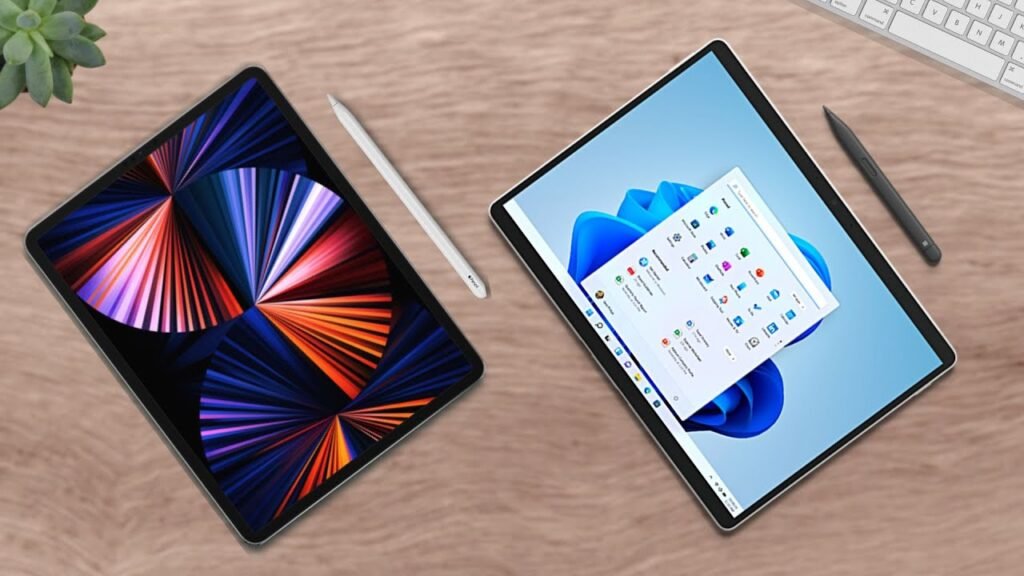
Alright, iPad Vs. Let’s go over the iPad Air vs the iPad 10. Two very similar tablets for very specific types of people. Let’s talk about it.
Analyzing the Raw Stats
Alright, to start this comparison, let’s do the usual shebang of viewing the raw stats and discussing what stands out. And as you can tell, there aren’t a ton of differences. These tablets share the same sizes, nearly the same form factors, and many of the same features. Except a few that I will discuss shortly.
Most notably, there is a clear price difference between these two devices. That’s mostly defined by one big feature and some small quality of life ones. So, the comparison really comes down to what features really matter to you relative to the price differences and if you can optimize them to your lifestyle.
Performance and Processing Power
So, let’s compare these differences. Firstly, the most significant feature that differentiates these two iPads, the processors. The iPad Air sports the extremely speedy and nearly overkill computer processor, the M1 Chip. While the iPad 10 uses the still fast A14.
Both processors are very powerful, all things considered. These are tablets after all, meaning most processors and programs are mobile phone-based, meaning not too demanding. But, for things such as editing videos, working on photos, and gaming, this is where things might need some consideration.
Taking a look at the benchmarks of both processors, we see a pretty big difference between the two. Which is because one is ported over from a laptop while the other is purpose-built for a tablet. Therefore, for the power users out there, it isn’t a stretch to say that M1 iPad Air would be a better fit for you.
It will definitely handle your workload better and not slow you down when things get more intense. This includes Stage Manager which allows for pretty effective multitasking with the iPad Air and even with an external monitor.
The Multitasking Experience
Being exclusive for the iPad Air and more expensive iPad models, Stage Manager can turn your iPad into a sorta computer. With all that you can do with multitasking. Due note, though: this is still a play on the tablet functionality of the iPad Air. And is NOT a replacement for a computer.
However, it can still be extremely useful for a power user who wants to access multiple different applications on the iPad at once. And use a monitor with that. Now, this feature is not available on the iPad 10, so keep that mind.
Display and Writing Experience
Additionally, another feature that is not included with the iPad 10 is a laminated display. Now, this type of technology has always seemed fairly… niche to me. But, it’s actually been pretty popular for many iPad users with many of them saying it’s something that they’re very passionate about.
A laminated screen means the iPad’s display is fused to the glass, meaning it’s literally like you’re writing on the pixels. It’s pretty useful for those who do a lot of art because it feels so much more accurate. Even for note taking, I’ve heard it’s a really nice feature to have. And can make the writing experience feel far more premium.
Stylus Compatibility
But going on with the writing experience part of this comparison, let’s talk about the pens real quick. Because these two iPads use different styluses. The iPad Air uses the Apple Pencil Generation 2 while the iPad 10 uses the Generation 1.
Which means, despite having USB-C, the iPad 10 will need a converter to charge the pencil that you’ll need to carry around. Which is a bit inconvenient and something that many people in the tech community have not appreciated. Me, personally, though, I carry a lot of dongles in my Apple Pencil pouch, so it isn’t too much of an inconvenience. But, I see why people have an issue with it. It means more things to carry.
And because of that, the iPad Air most certainly gets the added bonus of convenience for its users.
Quality of Life Features
In terms of other smaller features that are just a bit more convenient on the iPad Air, here’s a little lightning round of the sort. The iPad Air does have a bit better of a display with more vibrant colors, it uses the Magic Keyboard instead of the Keyboard Folio Case, which is a positive or negative depending on your preferences, and it has louder speakers.
Going back to the keyboard case discussion for a second here, though. Yes, the Magic Keyboard is a bit more expensive than the Keyboard Folio. However, it is more premium and a bit more comfortable for users because the stand is like a laptop. Instead of the kickstand on the Folio Case which has a pretty sharp edge, so it’s not nice to have on your lap.
Besides that, we get the same battery lives, USB-C charger, TouchID fingerprint scanner, and even cameras. With the iPad 10 having a more modern landscape camera. Meaning, it’s along the side of the tablet, so your meetings will have your face centered when you’re in a call.
Final Verdict: Which Device Suits You?
So, the iPad Air vs iPad 10. Who is each one for? Well, coming from the last section, we saw a lot of features that are productivity and stationary-work focused on the iPad Air. Such as the Magic Keyboard that’s shaped like a laptop itself, the processor, and the laminated display.
Those are intentionally designed to make the iPad Air more of a workstation of the sort. While the iPad 10, of course being a bit cheaper and have less premium features, is more designed to be a portable device, such as with its keyboard folio being something you’d probably see in college.
Now, I’m not saying this is the end-all-be-all verdict. But after doing a bit of research, the iPad Air seems more intended to be a workstation as compared to the iPad 10. Now again, these are tablets, so the work will be fairly limited, but the iPad Air seems best to be used on a desk with another computer. So, as a companion to your setup. While the iPad 10 can be best used on the go.
Buyer Recommendations
If you’re a creative or someone who will be working at a desk, needs the processing power of the M1 Chip, and/or would like to use the tablet with an external monitor, you should get the M1 iPad Air.
If you’re a student on a tighter budget who just needs a modest tablet and doesn’t need to multitask too much, you should get the iPad 10. The iPad 10 is still an amazing tablet with many great features. It’s just that it’s not as powerful as the iPad Air, but it’s still quite enough for most of us.
Now given that criteria, I still believe that either tablet is probably effective for most users. In fact, I see a lot of M1 iPad Airs in college despite students not really needing that power. And that’s because they really are that similar. So if you have the money for a more powerful processor and better quality of life features, you should also consider the iPad Air. Especially, of course, if it’s what you want and, as always, it fits your needs.
And that was my comparison of the M1 iPad Air vs the iPad 10. Did I miss anything? Let me know in the comment section down below. Anyway, my name is Cyrus. It’s spelled like “Cyrus,” pronounced like “See Rooster,” just take out the “ter.” Thank you very much for reading, and have a wonderful day! Peace.