
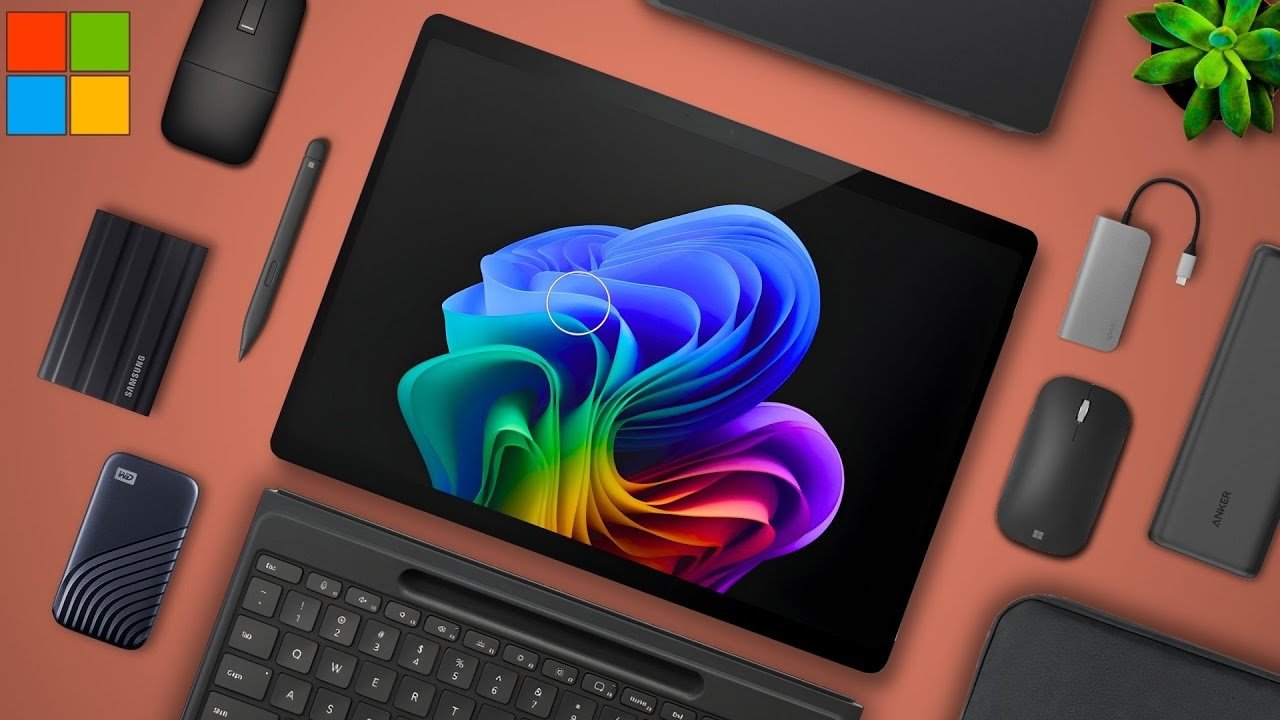
All right today we’re going to be talking about the best accessories for the new Microsoft Surface Pro 11 I’ve got quite a few good ones to talk about so let’s get right into the list.
Native Microsoft Accessories
Firstly let’s talk about the native Microsoft accessories these are the ones that are pretty much Necessities for your new Service Pro 11.
Keyboard Options
Starting with keyboards upon release of the new Surface Pro Microsoft announced the new flex keyboard which is a keyboard case folio that can detach from your laptop and still work. This means you can have a more ergonomic and comfortable setup however it does come at a hefty cost. Now it does come with the surface slim pen as well so this is technically the only accessory you need to buy for this laptop but that’s half the total price of the Surface Pro itself which is something to really consider for most of you when purchasing the laptop.
As an alternative Microsoft still offers its older folios such as the signature keyboard which if you don’t want to pay for something that’s worth half of your device that’s a good option and since these both come bundled with the surface pen you won’t need to worry about buying another stylus.
Mouse Choices
You will still need to consider a mouse. Microsoft does sell it own portable Arc Mouse which is actually pretty solid and can fold to be far thinner than most mice out there so it’s super transportable but it’s also very pricey. As an alternative Dell also sells ones that are very similar to the Microsoft mouse at half of the price so that’s a great other option for you too. Either way for this laptop mice aren’t 100% Necessities but they definitely are something to consider for some of you.
Portable Power and Charging
Next on this list let’s talk about batteries. Now I know that the service pro 11 has an alleged all day battery but there will be times where you just need more juice in which case a portable power bank would be very helpful for you.
I have two recommendations both from encher and both minimally 65 watts and that’s important to be able to take advantage of the fast charging capabilities of the laptop. You want to get a power bank that’s at least 60 watts and with both of these that’s the case with one having a bit higher of a capacity while the other having a higher wattage than the other so this one really is personal preference. There are also other options out there but just make sure that the one you choose is 60 WS or more.
Connectivity and Expansion
Next on this list let’s talk about docs so the new surfice Pro 11 comes with very few ports. For most professionals if you want to do anything that involves a port other than USBC or you just need more than two of those ports you’re out of luck with this laptop.
So I strongly suggest purchasing a USB dock when buying this device. Ideally you want something that carries a few more ports than what your laptop has such as HDMI or ethernet so you won’t need to worry about not having the right Port ever again. I have two different options for you on the screen and in the links below with many others you can choose as well.
Storage Solutions
Next storage. The service pro 11 does not come with much storage and you’ll need to pay a bit of a premium to configure the laptop with more. So there are two cheaper alternatives for this either an external SSD or an internal upgrade.
-
Internal Upgrade: The internal upgrade is fairly simple you just need to purchase an extra SSD like the one on your screen and in the description and then you just perform an install really quick really easy really simple but the problem is that you also lose out on the pre-installed SSD storage.
-
External SSD: You can also just get an external SSD which you can plug into your device whenever you need it. I would recommend these two on your screen right now the Samsung and Western Digital ssds because these two companies are pretty reliable. I would warn you about purchasing an external SSD that’s a bit on the cheaper side just because you don’t want to store your important files on an SSD that has the potential to fail.
Protection and Security
And lastly really one of the most important accessories for this device would be a case that means both a carrying sleeve and also a hard shell case around the device. Given that this is a fairly thin laptop and one that you will likely use very often in tablet and computer mode I’d strongly recommend providing it with the best protection you can afford.
It’s an expensive device and one that you don’t want to replace because of a fall or even water damage so I suggest people getting a couple cases that protected from both of those dangers. On the screen right now I have my personal case sleeve that I use for a lot of my devices and then also a hard shell one as well.
Overall though the new Microsoft Surface Pro 11 is extremely exciting and there are a lot of accessories that you can purchase it’s important that you get the ones that are the best fit for you and also the ones that best fit your needs. That was my list of the best accessories for the new Microsoft Surface Pro 11 they’re all definitely important for the productivity of your device as well as the safety of it so definitely make sure to check out the links down below. My name is Cirus it’s spelled like Cyrus fastic SE rooster just take a the T thank you very much for reading and have a wonderful day. Peace