
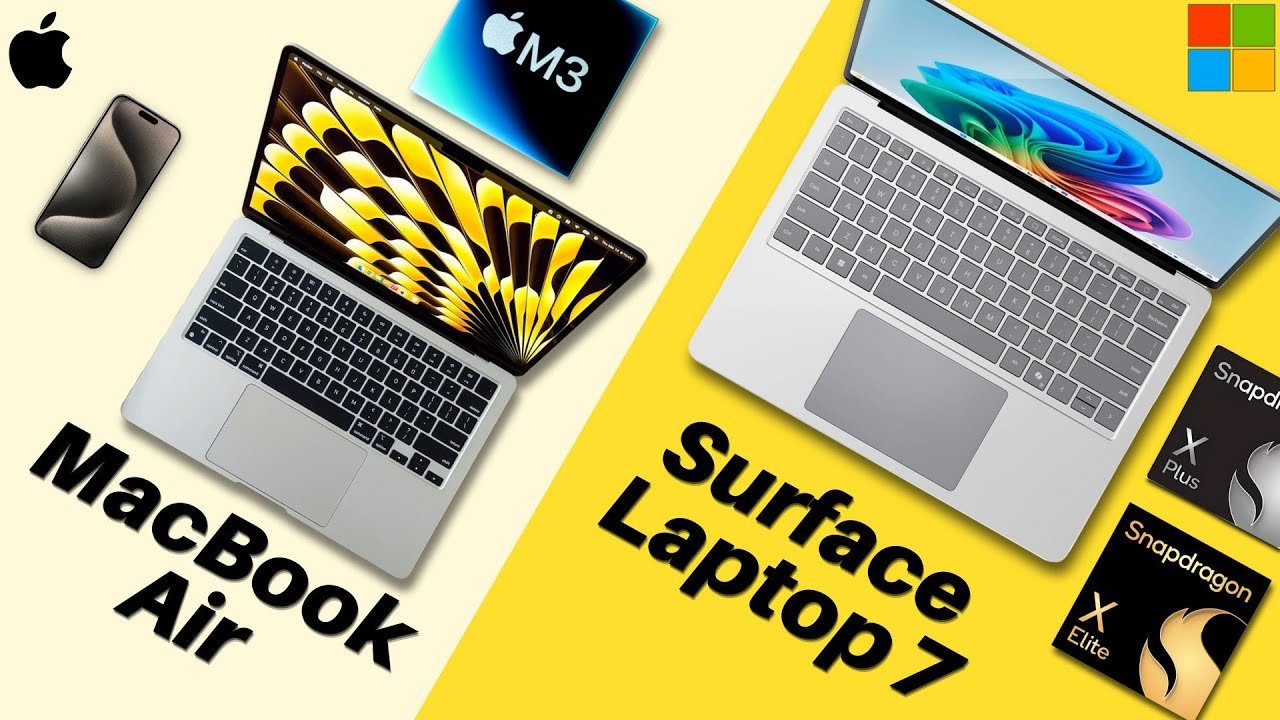
All right, let’s compare two amazing consumer-grade laptops: the Microsoft Surface Laptop 7 versus Apple M3 MacBook Air. Let’s go over the raw stats first.
Externals and Design
The M3 MacBook Air is Apple’s powerful entry-level laptop for students, professionals, and kind consumers alike, starting at a price of $1,099 for the small version and $1,299 for the larger variant. While the Surface Laptop 7 is Microsoft’s new alternative that comes with quite the punch that starts at $999 for the small variant and $1,299 for the larger one. So, the Surface Laptop starting price is a bit cheaper.
Form Factors and Display
Both laptops come in two sizes: both a 13-inch model and a 15-inch. Both of these laptops kind of trade blows in this section. The 13-inch one for Microsoft is a little larger while the 15-inch one for Apple is a little bigger.
Apple’s laptop has a higher PPI or pixels per inch while the Surface Laptop has a touchscreen coupled with the screen having a 120Hz refresh rate. I got to give it to Microsoft; there are a lot of features that has that Apple’s alternative does not, although Apple’s screen color technology and accuracy are incredible.
Connectivity and Cameras
Both of these devices are all right. The Surface Laptop does have one more port than the MacBook Air, that being USB-A, so it’s a bit more versatile. Overall, though, they’re both pretty average.
Now for cameras, this is a really quick section, but both are good. 1080p cameras can’t really go wrong with that for your virtual meetings. So, for the external summary, a lot of these are really up to you and what you value more of, but I’d say the Surface Laptop takes the cake for a majority of these categories, such as the starting price and the form factor.
Internal Specs and Performance
Surprisingly, after a long time of being the company with very powerful laptop chips, Apple actually has some serious competition now. Now, this is alleged; we don’t really know the performance of this laptop yet, but the Surface Laptop 7 comes with the new Snapdragon arm-based processors and they beat out the M3 chip in the MacBook Air.
Benchmarks and Memory
Take a look at the single-core performance benchmarks and then the multi-core. As you can see, Microsoft is definitely on par or maybe even better than Apple with these new chips. So, we got some heavy competition coming up, but at the moment, really though, for most users, this probably won’t result in too big of a difference.
These processors will perform really well for nearly everyone. However, the MacBook Air does only sport 8 GB of RAM, which will limit what and how much you can run.
Storage, Battery, and Security
For storage, it’s a tie: 256 GB for both. I wish there was more to start with, but it is a tie. However, the Surface Laptop’s SSD is upgradeable, so that’s a point for Microsoft, meaning you can add more storage at a far cheaper cost than having to configure it out when you purchase the laptop.
And for the battery lives, I can’t really make a full judgment call because the Surface Laptop hasn’t been extensively tested, but notably, arm-based CPUs do allow for better performance, especially in regards to battery. So, the Surface Laptop 7 should last all day according to Microsoft, just like the Apple MacBook Air. Additionally, both sport solid security software with the MacBook Air using Touch ID and the Surface Laptop using Windows Hello.
Operating Systems
Lastly, for the operating systems—the real deciding factor—the MacBook Air runs Mac OS while the Surface Laptop 7 uses Windows 11. Two completely different operating systems, with the Surface Laptop also coming with some exciting new integrated AI features that many people are interested in. In summary, the Surface Laptop 7 does take the cake for a majority of the internal categories.
Verdict: Which One Should You Choose?
The Surface Laptop 7 versus M3 MacBook Air—these two laptops for their previous generations and lives have been duking it out for the longest with each company trying to one-up the other and consumers being pretty satisfied with either or. At my university, both laptops can be seen everywhere. They’re cost-effective, great performing, and no-nonsense. What they do, which is a lot, they do really well. They’re solid all-rounders, so you can’t really go wrong with either.
Ecosystem and Needs
I do know that I said the Surface Laptop really beat the MacBook in a lot of different categories, but overall those small specs really don’t make too big of a difference in the day-to-day. But you know what does? How you use them. There are some things the Surface Laptop can do that the MacBook can’t and there are some things the MacBook can do that the Surface Laptop can’t.
For example, the Surface Laptop has the built-in CoPilot key on its keyboard, literally designated for AI tasks. Now many people are intrigued by this, but overall it’s another feature on top of the many others from Windows that you have access to with this laptop. While the MacBook Air has the whole Apple ecosystem; you can text people from your laptop using your Apple ID.
Ultimately, I’d say for those who tend to use Apple products in general and are not engineering students who need specific programs that don’t run on Macs, the MacBook Air would be a good option. Otherwise, for those who want the better and more cost-effective option while also not worrying about the Apple ecosystem and also potentially being engineering students or the like, the Surface Laptop would be a good choice. But otherwise, it is your choice at the end of the day. Focus on your needs and be sure to check them out at your local Best Buy and tech store, and I’m sure you’ll be satisfied with either.