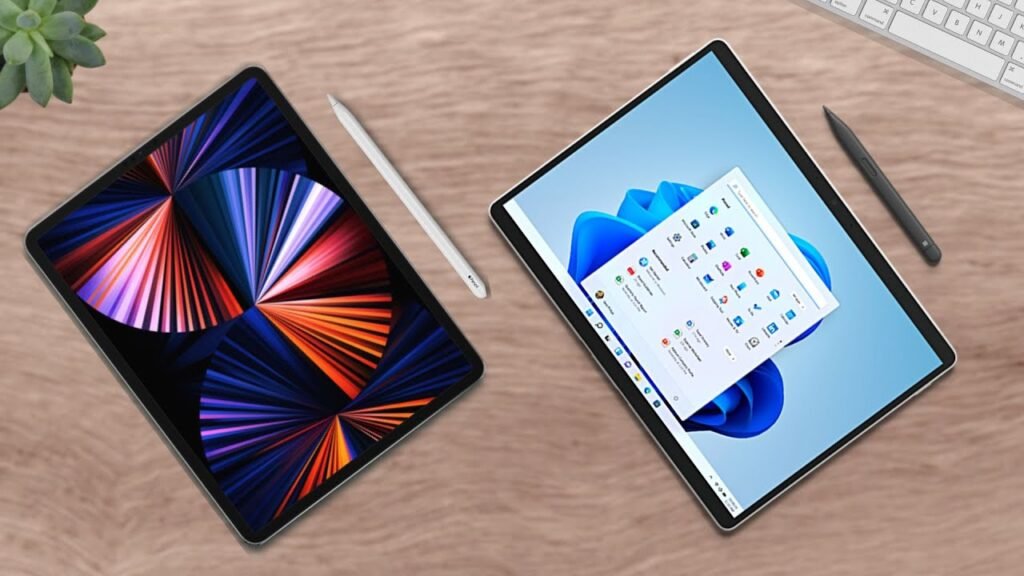
All right, Microsoft’s new amazing portable laptop devices: the Surface Pro 11 versus Surface Laptop 7. Which is right for you? Let’s talk about it.
The Surface Pro 11 is Microsoft’s new portable tablety laptop with an incredible spec sheet, an awesome upgrade this year. While the Surface Laptop 7 is Microsoft’s new also portable laptop with another incredible spec sheet, an awesome upgrade this year.
Raw Comparison
Here are the raw stats for a general comparison. As you can tell, they share numerous features such as their new processors, removable SSDs, and Windows operating systems. But what they differ in, they differ in significantly, and that will determine which is best for you. So let’s talk about what makes these two different.
Surface Pro 11: The Versatile 2-in-1
Starting with their prices, the Surface Pro 11 starts at $999. But that is only for the device itself. If you pay for that only, you just get the laptop in its tablet form factor.
However, if you want both the full keyboard plus trackpad and stylus, that’ll cost an extra $450—a huge sum of money. Is it worth it for you?
-
Portability: With that added cost, you get a fantastic 2-in-1 laptop that is far more portable than the competition since it’s lighter.
-
Design: It also has rounded corners for its display, a detachable keyboard, better camera, and again has that stylus support which the Surface Laptop 7 doesn’t feature anymore.
-
Versatility: It does have a touchscreen but no pen support, meaning the Surface Pro is better for work on the go and more tablet things like note taking or drawing which its tablet-like form factor does allow for.
-
Display: The Surface Pro also sports a second purchasable option, which is an OLED screen. This is something that will cost a bit more, but it will allow for a far prettier looking display as well as a better experience for the creatives out there. You get more accurate colors for your art which can be extremely valuable for some and it’s more beautiful to look at especially with the higher pixel density of the device.
Surface Laptop 7: The Dedicated Powerhouse
Now on the flip side, the Surface Laptop does have its own benefits as well. Namely, it’s far cheaper. That extra $450 for the keyboard and pen accessories are completely avoided buying the Surface Laptop so it feels like a far better deal.
Since you’re getting a device with the same power as the Surface Pro but at a much cheaper cost, it provides great value. Even disregarding the keyboard and stylus add-on price, the Snapdragon Elite version of the Surface Laptop—the more powerful processor—is $100 cheaper than the Surface Pro’s comparable options.
Key Advantages
-
Savings: If you’re not looking for the OLED screen and would rather save some money, buying the laptop about $550 with the accessories factored in, you can do that.
-
Size Options: The Surface Laptop has two sizes. If you want a device that has a larger screen for whatever work you’re completing, you can have that with the Surface Laptop. You can either purchase the 13-inch version or the larger 15-inch variant.
-
Connectivity: The Surface Laptop has more ports so better connectivity with anything you’re working with, supporting an extra USB-A port and micro SD card slot for expandable storage which is superb if you’re in a pickle.
-
Battery Life: The Surface Laptop does have an alleged better battery, but that is to be confirmed by the reviewers.
Final Verdict: Which One Should You Choose?
Taking a look at my university, I’ve seen numerous students with either the Surface Pro or Surface Laptop. They’re literally everywhere and everyone seems content with either choice really.
If I were to categorize the two, I would say the Surface Laptop 7 is something that for most of you is like the baseline for your needs. While the Surface Pro for most of you is more than that; it’s what you need plus that added convenience. The Surface Pro is pretty much the Surface Laptop in addition to a few other tablet-like features. It can be used for digital note taking for students, drawing for artists and presenters, and just easier more portable potentially OLED content consumption.
The Surface Laptop is exactly that in the name: a laptop with less of those frills. It has the same power as the Surface Pro at a fraction of the price. Now it can’t be used like the Surface Pro so it can’t be your handwritten notebook or drawing tablet, but if you want something that can be your dedicated work laptop, the Surface Laptop is good for that. Plus, the clamshell design of the Surface Laptop 7 is a bit more comfortable than the kickstand the Surface Pro 11 uses when the device is on your lap.
My Suggestions
-
Choose the Surface Pro if: You are a student, worker, professional, or kind consumer who would like a multifaceted device that can be used for both laptop work such as writing documents and tablet work such as note taking, and you can afford it even with those added accessories.
-
Choose the Surface Laptop 7 if: You are a student, worker, professional, or kind consumer who would like to get a more dedicated device toward laptop work such as writing documents or emails and would potentially rather get a larger device such as the 15-inch version.
Ultimately, this is your decision and these are pretty broad strokes in regard to which is a better laptop for you. It really just depends on your personal preferences and especially your needs. Focus on your needs and I’m sure you’ll make the decision.