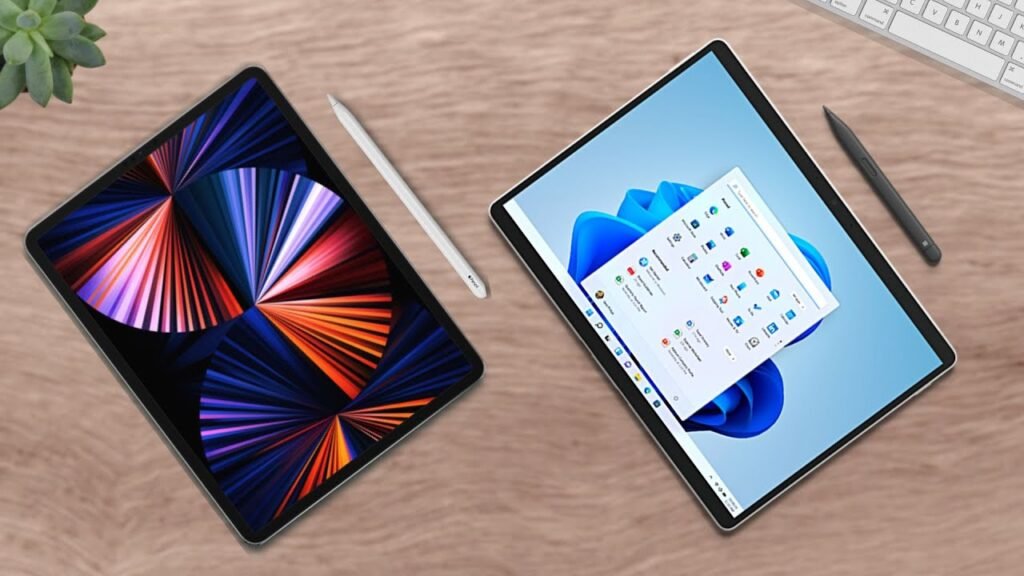
Alright, These are two of the most budget-friendly tablets You can buy. Tablets laptop vs Tablety tablet. Microsoft Surface Go 3 vs Apple iPad (9th Generation). Let’s go over the raw stats…
Device Positioning and Pricing
The Surface Go 3 is a 2-in-1 laptop, combing the best features of a tablet and a laptop, such as a touchscreen and Windows 11, coming in at a reasonable… $400. While the iPad is a tablet coming in at an even lower… $330. Both have their own strengths and weaknesses, starting with externals.
Design and Display Comparison
The Surface Go 3 is 10.5 inches with a really cool built-in kickstand, and the iPad is 10.2 inches. So, they’re similar in size, and where they really differ externally is in their displays. The Surface Go 3 resolution is 1920×1280, while the iPad’s is 2160×1620. So, while the Surface Go 3 is bigger, The iPad looks marginally better because of that higher resolution.
Connectivity Features
What not marginally better… connectivity. The Surface Go blows the iPad out of the water. 1 USB-C, a headphone jack, a microSD card slot, and the Surface Connect Port. Which, honestly, still could be improved with maybe an extra USB port because it is supposed to act like a laptop, but let’s not get ahead of ourselves.
Because the iPad only has… 1 lightning port and 1 headphone jack. With that said, however, I can’t think of too many things you’d want to connect to a basic iPad besides, maybe, some external storage (not defending Apple tho). More on storage later.
Performance and Storage
For internal specs, It’s interesting… To preface, in many cases for these “budget-friendly” devices, don’t expect “amazing” specs. They’re just supposed to be a little bit more than adequate to complete your daily tasks. And, yeah, both of these devices are great at that. But, don’t expect too much performance beyond their prices. Here are the benchmarks.
For storage, both of these devices are… fairly disappointing (for me). 64GB starting, which is not a lot. But, it’s probably enough if you’re just going to be taking notes and drawing, and, for the price, it is justifiable.
Operating System Differences
And, lastly, one more important thing to note before I go onto my suggestion… is the differences in operating systems. The Surface Go 3 runs Windows 11 S Mode, which is a typical computer-based OS with some added touchscreen-tablet functionality. While the iPad run iPadOS an operating system that’s only used for the corresponding handhelds. Meaning, before you make your purchase, You should find out which operating system works best for you.
Final Verdict: Which One Should You Buy?
So, Which tablet is better? Great question. And, that, like I always say… really depends on you. Will you be taking a lot of notes or drawing? Or will you be running a lot of different programs? Do you want a more tablet experience? Or more of a computer one?
All of these factors are important to consider because, again, both of these devices use different operating systems. The Surface Go 3 is like a typical computer. Meaning, you get the freedom of Windows, which is great for a laptop, but it’s not amazing for a tablet because that means that a lot of different programs… are not going to be well optimized, meaning you’ll probably encounter some lag or glitches.
On the other hand, The iPad runs Apple’s iPadOS, which is a more restricted operating system, yes, but that also means that most of the programs on the iPad will run fine. However, you will be limited on the amount of programs that you can run.
Choosing Based on Needs
So, to answer the age-old question of which one you should buy, that depends on your needs and wants. More specifically, one tablet can act like your primary or main device, while the other can act more like a secondary to your primary computer.
The Surface Go 3 can kind of act as its own small workstation because it has the freedom to do anything a typical computer can, while having some tablet functionality, such as taking notes. The iPad, on the other hand, is meant to be used creatively, such as with taking notes and drawing. It’s not a workstation. It’s meant to be used with other devices.
It’s more of a complement to your current setup. Specifically, if you use Zoom or some exam proctoring program, so if you’re in college You absolutely need another device besides an iPad.
-
If you don’t already have a computer, get the Surface Go 3.
-
If you do, especially an Apple one with of that convenient ecosystem, get the iPad.
But, ultimately, all of this is your decision based on your preferences. My name is Cyrus. It’s spelled like “Cyrus,” pronounced like “See Rooster,” just take out the “ter.” Thank you very much for reading, good luck with your purchase, and have a wonderful day!