Introduction:
Fast internet becomes need of every house nowadays. But sometimes, wifi becomes slow sudden and we do not understand what is happening. Whatever you are doing live streaming or playing a game online slow speed can frustrate you.
In this article we will discuss about some common reasons and their solutions by which your wifi becomes slow sudden.
1.Too many connected devices (network load)
If too many devices are connected with your wifi then each device will use a part of bandwidth due to which speed becomes slow.
Solution:
Disconnect devices that are not in use. Set device limit in router setting if possible.

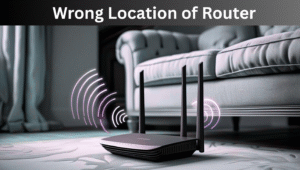
2.Wrong location of Router
WiFi signals can easily blocked by walls, furniture or electronic things. If router is in a corner then signals becomes slow.
Solution:
Place router in open area or central area of house and on a shelf.
3. Old router or modem
If your router is old than it may cannot support modern internet standard due to which internet becomes slow.
Solution:
It would be better to upgrade 3-4 years router. Buy a new dual-band router which is more efficient.
4. Auto updates or background downloads
Sometimes there are background apps or updates are running in system consume bandwidth due to which wifi becomes slow.
Solution:
Open task manager and see what is on downloading. Pause it if you donot need.
5. Problems because of ISP
If there is problem by provider like maintenance or outage then speed can becomes slow.
Solution:
Test your speed on speedtest.net .If result constantly slow then contact your provider.
6. Interference of wifi channel
If you live in an apartment or there are multiple wifi near you then their signal can interfere with your wifi signals due to which speed becomes slow.
Solution:
Go to settings and change your channel or enable “Auto-channel” option in settings.
7. Virus or malware
If there is a virus or malware in your system it use internet in background ue to which wifi becomes slow.
Solution:
Scan your system with trusted anti-virus and remove malware.

8. Over heating of router
A computer is also an electric device and it can overheat if used continuously. Overheated routers can slow down. Place your router in an open area. Replace router if it gets overheated continuously.
9. Outdated Firmware
Every router has its firmware that controls its functions. It may not handle bandwidth efficiency. Log into your settings and check firmware updates. Most modern routers have an update option that automatically installs the latest versions.
10. Bandwidth hungry apps
Some apps or online gaming platforms consume large amounts of bandwidth. 4k video streaming and downloading large files can slow down the internet.
11. Distance from router
Wifi has a limited range. If you are sitting too far from your router, the signals weaken, resulting in slow speed.
Always sit close to your router when you need maximum speed. If your house is large, use Wifi extender or a mesh Wifi system for better internet coverage.
12. Interference
The Internet can slow down when signals interfere. It usually happens in peak hours when multiple users are using internet at same time. Try to use internet on different channel from others.
13. Peak usage hours
Internet speed often slows down in peak hours or when multiple users are using the internet at same time. This is called network congestion.
Try to download large files at night or early in the morning when fewer people are online.
14. Limited internet package
Sometimes the issue is not Wifi but your internet package. If you subscribe to the low-speed package, multiple users will make it crawl.
Check your plan details. Upgrade your internet plan if you are a video streamer, gamer or downloading big files.
15. Wrong router settings
Many people never touch their router settings but misconfigured routers can cause slows down.
Reset your router’s settings to default. It can solve speed issues.
16. Outdated devices
Even if your Wifi is fast, old devices cannot utilize full speed.
Update Wifi drivers on your device. If they are too old, consider upgrading your hardware to get maximum benefit from your Wifi.
17. Multiple tabs and apps open
Sometimes we blame Wifi but the issue lies in our own device. Background apps consume data and memory.
Turn off background apps in device settings.
Common questions
Q1. Does restarting the router really help?
Yes, restarting clears temporary cache and re-establishes a fresh connection with IPS. It often fixes speed issues.
Q2. Can neighbors use my Wifi without permission?
Yes if your wifi is not password protected or has a weak password, others can use it. This slows down your speed.
Q3. Why does my Wifi slow down only on one device?
Sometimes the internet is slow on only one device. The issue is with this device.
Pro tips for fast speed
- Restart router weekly
- Use wired network for gaming
- Enable guest network
- Change router password
- Invest in good router
Final conclusion
There is not a single reason behind slow Wifi. Sometimes issues are because of interference, wrong router settings, and outdated firmware. You can solve these issues by reading this article.
More tips for fast WiFi
- Enable QOS (Quality of Service) setting
- Restart your router every weak
- Use 5GHz band if available
- Install mesh system or extenders if your home is big
Moral
Slow wifi is annoying for everyone but its solution is too much simple. If you follow above steps you can easily boost your wifi signals.
ALSO READ