Introduction:
In modern time when every home has internet, people ask a basic question that:
Do you need internet for ethernet?
This confusion is because mostly people think as long as there is no wifi use of internet is impossible. Is its true? Let us understand in simple language in this article and what is the difference between WiFi and ethernet? And also that is wifi require ethernet.
What is Ethernet?
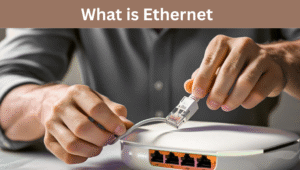
Ethernet is a wired network that you can directly connected your devices with internet through a cable. Such as:
- Connecting your laptop or desktop to router
- Provide stable internet to gaming console
- Provide high speed internet to Smart TV or CCTV system
Benefits of Ethernet:
- Having high speed
- More stable connection
- No interference (like signal drop)
- Better for gaming, online meetings and meetings
What is WiFi?
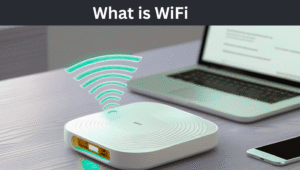
WiFi is a wireless connection. You do not need any wire. Signal travel in air from router and provide internet to your laptop, tablet and desktop.
Benefits of WiFi
- Wireless freedom
- Internet in every corner of your home
- More devices can connect
- Best for portable devices
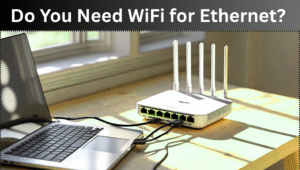
You need WiFi for Ethernet?
Simple answer no you do not need wifi for ethernet.
Ethernet is a wired network. If you have a router that can support network you can use network simply by connect wire to your desktop or laptop without WiFi.
Understand by an Example:
If your WiFi got off or you forgot your password but you have connected your Laptop or desktop with a cable you can use internet.Ethernet is completely independent than WiFi.
Can we use wifi and ethernet both at same times?
Yes you can but your laptop or desktop can support only one primary network at one time.
If your device is connected with wifi and ethernet than your laptop or desktop will prefer to ethernet because its speed is fast and signals are stable.You can also select internet manually.
When should you use ethernet?
You should use ethernet when:
- When you want high speed internet or stable signals
- When you are attending meetings or gaming
- When you download or update large files
- When your WiFi signals become weak
When WiFi is better option for use?
WiFi is best option when:
- When you use mobile or tablet
- When you move in separate rooms of home
- When you want wireless freedom
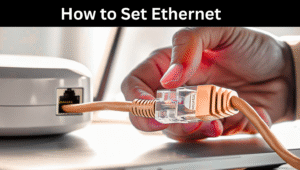
How to set Ethernet
- On your internet router
- Take an ethernet cable
- Plug an end of wire in LAN port of router
- Plug other end of wire to Ethernet port of your Laptop or desktop
- Internet will be connected automatically or enable Ethernet in your PC settings
ALSO READ
Why My WiFi Becomes Slow Suddenly? Common Reasons And Their Solution
Ethernet vs Wifi, Which one is better
We have understood what Ethernet and Wifi are, their benefits and how they are different from each other. The next logical step is to understand in which situation is the best option.
-
For home users
- If you are a student you attend online classes then Ethernet will provide you better stability.
- If you stream videos with your family, wifi is the best option because every device connects easily.
- If you are a gamer or download heavy files then Ethernet is best.
-
For offices
- In offices where multiple employees are using the internet at same time then wired Ethernet network is the best option that provides security and reliability.
- Wifi is necessary so employees can connect their mobile, tablet or guest devices.
- That’s why modern offices combine both Ethernet for desktop and Wifi for mobiles.
-
For gamers and streamers
- Gaming and streamers latency matters a lot. Wifi may lag due to interference, but Ethernet provides a direct connection which causes almost zero lag.
Security aspects
Nowadays internet security is also an important issue:
- Wifi security
To protect wifi, strong password, WPA3 encryption and firewall are necessary. If the password is weak, everyone can hack your network.
- Ethernet security
Ethernet is more secure because for its access a cable is required. Ethernet cannot be hacked.
Speed test Ethernet vs Wifi
- Wifi speed depends on distance from the router and interference.
- Ethernet is almost maximum that your ISP provides
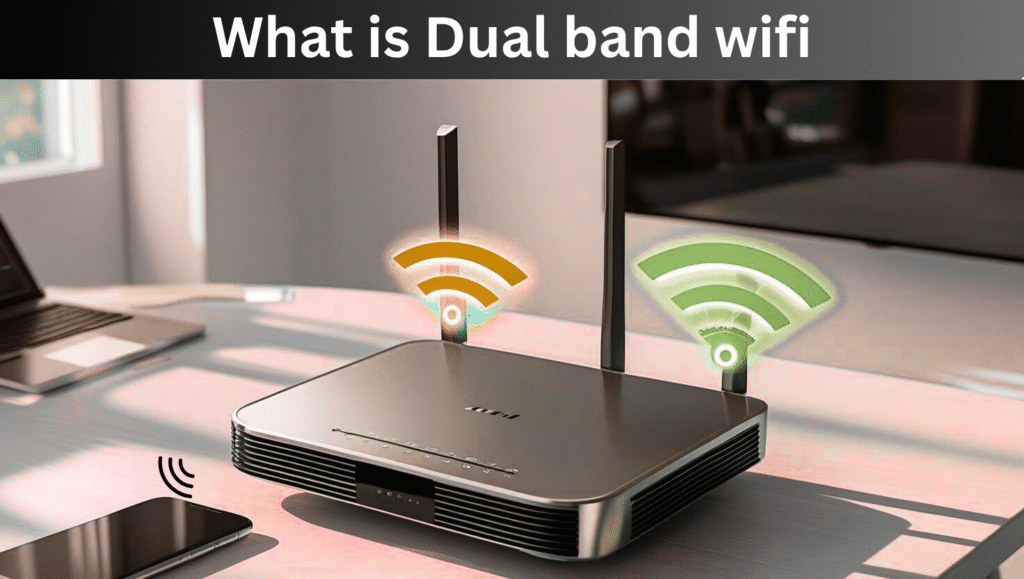
Can Ethernet and Wifi work together
Yes it is possible to use both simultaneously. Some devices automatically set priority:
- By default if both are connected, then Ethernet gets preferences.
- But if you want to manually select Wifi, you can change it by going to settings.
Some people use hybrid setup where one device is connected to Ethernet and Wifi is used for separate backup connection.
Real life example
- Student scenario: You are giving an online class and suddenly wifi dropped. If you were using Ethernet, this problem would not have occurred.
- Gaming scenario: For a gamer who is playing online games, milliseconds are important. Ethernet is a life saver for him.
- Family scenario: You can play low quality videos by connecting Wifi but if you are watching 4k videos then Ethernet is the best option.
FAQs and Answers
Q1. Is Ethernet an old technology?
Yes Ethernet was invented in 1970, and it is still the modern and fast internet option.
Q2. Is Wifi always slow?
No, Wifi is fast especially in Wifi 6 and Wifi 7 but wired Ethernet is still a little ahead.
Q3. Can we use Ethernet and Wifi on the same router?
Yes, if the router can support both.
Q4. Can Mobile phones use Ethernet?
Yes, mobile phones can also use wired internet through OTG adapter and Ethernet adapter.
Future of Wifi and Ethernet
- Wifi future: A new version of Wifi, Wifi 7 is coming which will provide gigabit speed and less latency. This will make wireless internet even faster.
- Ethernet future: Ethernet is also evolving.
Final conclusion
Ethernet has its own independent wired system which works without Wifi perfectly.
- For gaming and professional work Ethernet is best.
- For mobility and multiple devices Wifi is best.
Both are important in their own place. A smart user can use both to get the best internet experience.