Introduction
People get confused when they buy a vanilla card. Where is the 16 digit card written? Or they have trouble when they are using that 16 digit number when they have to do online payment, activation, or relieving the PIN. In this article we will tell you what 16 digit code is, where to find it, how to use it, common mistakes and security tips step by step.
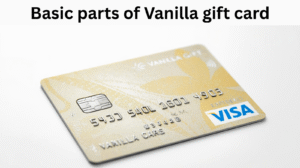
Basic parts of Vanilla gift card
- Card number (16-digit): This is a large number that looks like a credit or debit card. It is often printed on the front of the card, or sometimes on the back depending on the manufacturer/design.
- Expiration date: It is written on the top or bottom of the card (MM/YY).
- CVV or CVC: Some prepaid gift cards have a CVV; if so, it is usually written on the back or front of the card in small letters.
- PIN or Activation code (scratch-off): This is a small numeric code located under a scratch-off sticker on the back of the card. It may be required for activation or for ATM-style use.
- Customer service number or website: Card so you can check your balance or report it lost/stolen.
Tip: The most confusing thing for the user is 16 digit code and PIN code. Many people think these are the same things but actually not.
Where exactly 16 digits code found
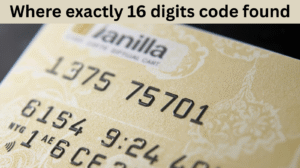
1.On front (mostly)
Most vanilla prepaid cards have a 16 digits number printed on the front, just like a normal credit card. If you look, digits are printed in large grouped numbers, that is your 16-digit code.
2.On back (sometimes)
Some designs may have the 16-digit number on the back of the card or on the packaging. Especially when the card is folded and in a promotional sleeve. If not found on the front, look at the packaging or check the sleeve and back strip.
3.E-gift or Digital vanilla card
If you received an e-gift (digital) Vanilla card, the 16-digit number will be emailed. Sometimes it is masked (only the last 4 digits are visible). You may need to check the vendor site or receipt to reveal the full number.
PIN vs 16 digits number (Difference)
- 16-digit number: This is your primary card number used for online or in-store transactions.
- PIN (4 digits, 3 digits, 6 digits): This is usually below the scratch-off area and may be required to activate the card or perform an ATM type transaction.
- Activation code: Sometimes there is an additional code on the card packaging that is required for activation.
Note: Online shopping often only requires a 16-digit number, expiry date, and CVV. A PIN is generally not required for online payments.
What to do if 16 digits number is not displayed
- Check the packaging: Check the card sleeve, backing card, or receipt. Sometimes the number is printed there.
- Email or receipt: If you receive a digital confirmation online or in-store, it may contain a full number.
- Opening the scratch-off area: Read the permission and instructions before opening a scratch-off with a PIN, but this applies to the PIN, not the card number.
- Customer service: You can call the toll-free number listed on the card and inquire. Also contact the vendor or retailer where you purchased it.
How to activate card
- Check the receipt: Some cards are instant activated at the register.
- Visit the website: Go to the activation page in the Vanilla website or phone number on the back of the card.
- Enter requirements: Enter 16 digits number, expiry date of card, CVV (if available), and activation code.
- Confirmation: Activation successful message will appear. Save the receipt.
Note: The activation process varies from vendor to vendor. If the card was purchased from a retailer, the cashier may have activated it.
What is requirement when using online
When you want to use a Vanilla gift card for online shopping, you’ll generally need the following:
- 16-digit card number (which may be on the front or back).
- Expiration date (MM/YY).
- CVV or security code (if available on the card).
- Billing address (some merchants require it. You can use the address you set upon card activation).
Balance check and transaction history
- Online balance check: Visit the website on the back of the card and enter the card number and PIN (if PIN is required).
- Check Phone balance: Dial Toll-free number.
- Save Receipts: Keep a receipt for every transaction. This is helpful if there is a dispute.
Security tips to keep your card safe
- Pay attention to how to stick the Scratch-Off: Do not share your PIN with anyone.
- Keep receipt and packaging safe: Never send the card photo openly.
- Lost or stolen: If you have lost your card, call customer support immediately. Some cards do not offer replacements because they are prepaid, but some offer limited protections.
- Test first: If the online merchant is not already trusted, then test it with small purchases.
Note: Never share sensitive information to anyone asked over email or phone without verifying it.
Common problems and solution
1.Card number is not visible on the front
Check packaging and receipt; if it’s a digital card, open email; contact vendor.
2.Transaction declined despite sufficient balance
The billing address may be incorrect, the merchant does not accept Vanilla cards, or the merchant requires a name on the card (the name is blank on prepaid cards). Try entering your name in the “use ‘Name as on card’ field” and contact support if this still fails.
3.Card shows not activated
Activate through back-side instructions, website or phone. If activation is missed on the register contact the retailer.
FAQs
Q: Do 16 digit numbers and bar codes are the same?
No, barcodes are different from 16 digits numbers. Barcode is for retail scanners, while card number is usually in printed form.
Q: Can I set up recurring payments with a Vanilla gift card?
Usually prepaid cards can be problematic for recurring payments because the merchant does periodic authorization. Check the specific merchant policy.
Q:What to do if there is no name on the card then how will it be accepted online?
Many merchants make the name optional. If a name is required, you can try entering your own name. However, some merchants strictly verify the cardholder name.
Q: Can Vanilla gift cards withdraw cash from ATMs?
Generally not, these are prepaid payment cards, cash withdrawal is not allowed. Check card terms.
Quick check list when you get the card
- Locate 16 digits number on the card.
- Note expiry date and CCV.
- Save receipt.
- Follow activation instructions.
- Check balance before big purchase
Also Read
Does A Venmo Asked For Last 4 Digits Of Phone Number
Digital Gift Cards (Amazon, Google play, etc)
My opinion
A 16 digit Vanilla gift card number is usually printed on the front of the card, but it can also be found on packaging or in Emails. The most important thing is to understand the difference between card number and activation code. These are two different things. Activation code is used for ATM-style transactions. Keep your card safe. Must check your balance before a big purchase. Enter the correct billing address for online purchases.